Daughter Font: A Handwritten Style for Designers
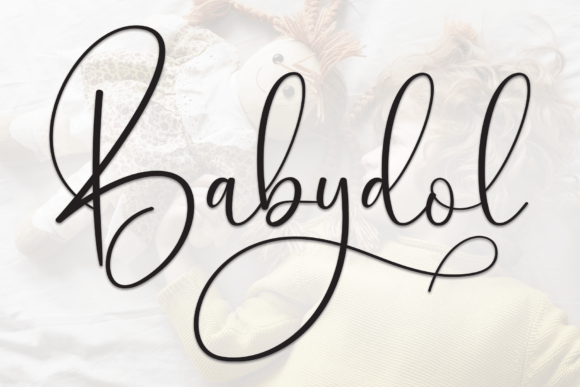
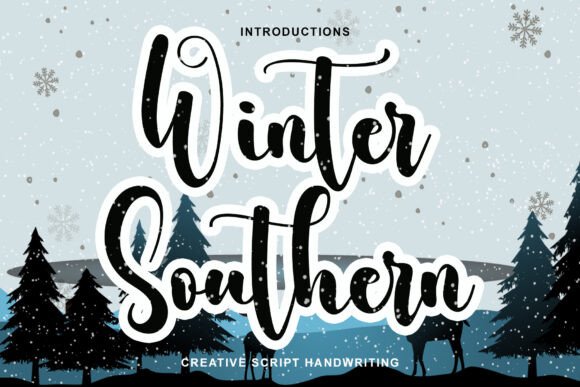
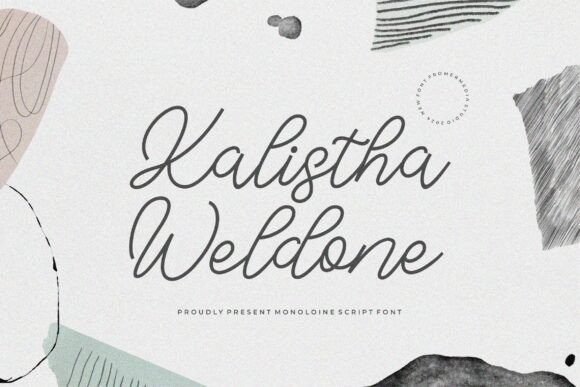
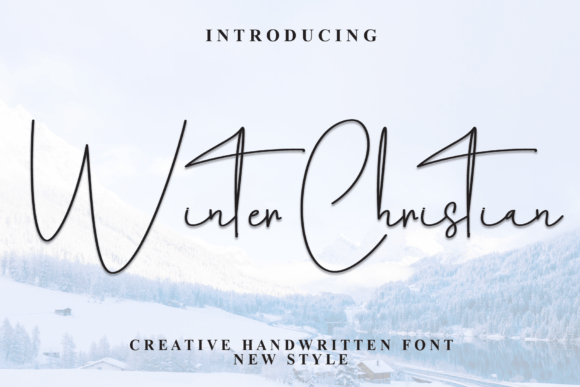
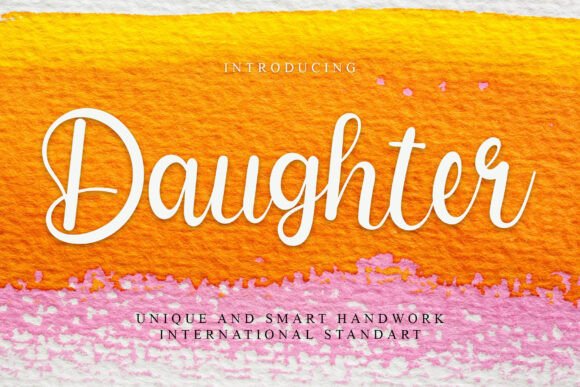
The Daughter font is a distinctive and elegant typeface that brings a natural, handwritten feel to digital designs. With its varied baseline and fluid character structure, it mimics the look of real handwriting while maintaining a professional appearance. This makes it particularly appealing for creative projects where authenticity and style are key.
Why People Choose Daughter Font
Designers often seek fonts that stand out without being over-the-top. Daughter offers a refined yet personal aesthetic that works well in both print and digital formats. Its unique characteristics make it suitable for a wide range of applications, from wedding invitations to logos and business cards. The font's handcrafted design gives any project a warm, approachable touch, which can be especially valuable in branding or personal correspondence.
Key Features of Daughter Font
- Versatile Use: Ideal for wedding invitations, greeting cards, billboards, and more.
- Natural Baseline Variations: Mimics the irregularities of human handwriting for an authentic look.
- PUA Encoding: Provides easy access to all glyphs and swashes through the PUA (Private Use Area) panel in design software.
- Legibility with Style: Maintains readability while adding visual interest.
Benefits and Tradeoffs
One of the main benefits of using Daughter is its ability to add a personal and artistic flair to otherwise standard text. It’s perfect for those looking to create something memorable or emotionally resonant. Additionally, the PUA encoding allows users to unlock special characters and stylistic elements quickly, streamlining the design process.
However, like many script fonts, Daughter may not be the best choice for every project. Because of its ornate nature, it might be less readable at smaller sizes or in dense paragraphs. If legibility is a top priority—such as in body text or signage with small lettering—this could be a drawback.
Considerations When Using Daughter
- Purpose: Evaluate whether the font supports your message and audience. For example, a formal document may require a more traditional serif font instead of a decorative script.
- Context: Consider how the font will appear across different media and devices. Will it scale well on a billboard or look good on a smartphone?
- Software Compatibility: Ensure that your design application supports PUA-encoded fonts so you can use all available glyphs and swashes effectively.
- Brand Identity: Think about how the font aligns with your brand’s tone and image. Does it reflect professionalism, creativity, or something else entirely?
When Daughter is a Strong Fit
Daughter shines in scenarios where a handwritten, bespoke look enhances the design. Here are some situations where it could be an excellent choice:
- Wedding Invitations: Adds a romantic and personalized touch.
- Logo Design: Particularly effective for lifestyle brands, boutiques, or artisanal products.
- Greeting Cards: Enhances emotional appeal with a handcrafted vibe.
- Banner Ads or Billboards: Makes headlines more eye-catching and engaging when used sparingly.
- Business Cards: Offers a unique identity for creative professionals or entrepreneurs.
When to Consider Alternatives
While Daughter is visually striking, it’s important to consider whether it meets your functional needs. In cases where clarity and consistency are essential, such as legal documents, technical manuals, or websites requiring long-form text, a more structured and readable font may be preferable. Sans-serif or clean serif fonts are typically better suited for these purposes.
Additionally, if you’re working on a multilingual project or need extensive character sets beyond what Daughter provides, you may want to explore other options. Some script fonts offer broader language support or additional typographic features that could be necessary for certain uses.
Practical Tips for Using Daughter Font
If you decide to incorporate Daughter into your design, here are some insights to help guide your implementation:
- Use Sparingly: Apply it to headings, titles, or short phrases rather than large blocks of text.
- Pair Thoughtfully: Combine it with a complementary sans-serif or serif font for balance. For instance, a bold sans-serif can contrast nicely with Daughter's delicate curves.
- Test Across Devices: Preview your design on various screens to ensure the font remains clear and aesthetically pleasing at different sizes.
- Access All Glyphs: Take advantage of the PUA encoding by opening the glyph panel in Adobe programs or similar tools to find ligatures and swashes that enhance the design.
- Maintain Consistency: Stick to one or two variations of the font within a single project to avoid overwhelming the viewer.
Final Thoughts on Daughter Font
Daughter is a versatile and stylish font that can elevate the visual appeal of a wide range of design projects. Its hand-drawn qualities and attention to detail make it a strong candidate for creative work that values personality and elegance. However, it's crucial to assess whether its aesthetic aligns with your project's goals and whether its potential limitations affect usability.
For designers who appreciate a blend of artistry and functionality, Daughter can be a valuable addition to their toolkit. Just remember to weigh its visual impact against practical concerns like legibility and compatibility. By doing so, you can determine whether this font is the right fit for your next project or if another option might serve your needs better.